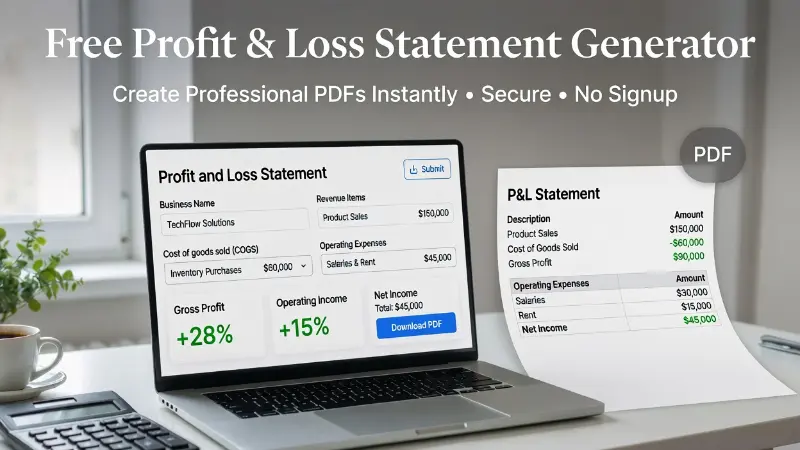
A profit and loss statement, also called a P&L statement or income statement, summarizes your revenue, cost of goods sold, operating expenses, gross profit, and net income for a specific period. It is one of the most useful financial documents for business planning, tax preparation, loan applications, lease applications, and internal recordkeeping.
The good news is that you do not need complicated accounting software to create one. With PayStubsOnline.net’s Free Profit and Loss Statement Generator , you can enter your income and expenses, review automatic calculations, and download a clean printable PDF in minutes.
What Is a Profit and Loss Statement?
A profit and loss statement is a financial report that shows how much money your business earned and how much it spent during a selected period.
It usually includes:
- Total revenue
- Cost of goods sold
- Gross profit
- Operating expenses
- Operating income
- Other income and expenses
- Net income
- Gross margin
- Net margin
In simple terms, a P&L statement answers one important question: Did your business make money during this period?
If your revenue is higher than your expenses, your business has a profit. If your expenses are higher than your revenue, your business has a loss.
Why Small Businesses Need a P&L Statement
A profit and loss statement is not only for large companies. Small businesses, sole proprietors, freelancers, and contractors also need it for practical reasons.
You may need a P&L statement when:
- Applying for a business loan
- Applying for a lease or rental approval
- Preparing tax records
- Tracking business performance
- Reviewing monthly or yearly income
- Comparing business expenses
- Planning future budgets
- Showing proof of business income
- Organizing records for lenders or landlords
A well-prepared P&L statement makes your business look more organized and professional. It also helps you make better financial decisions because you can clearly see where your money is coming from and where it is going.
What Makes PayStubsOnline.net’s P&L Generator Useful?
The Free Profit and Loss Statement Generator from PayStubsOnline.net is designed for speed, simplicity, and professional presentation.
Instead of building a spreadsheet from scratch, you can enter your business details, add revenue lines, include cost of goods sold, list operating expenses, and review the automatic summary instantly.
The tool helps you calculate:
- Total revenue
- Cost of goods sold
- Gross profit
- Operating expenses
- Operating income
- Other income
- Other expenses
- Net income
- Gross margin
- Net margin
After entering your information, you can generate and download a professional PDF that is easy to print, save, or share.
How to Create a Profit and Loss Statement Online
1. Choose Your Reporting Period
Start by selecting the start date and end date for your statement. This could be a month, quarter, year, or any custom date range.
Common reporting periods include:
- Monthly P&L statement
- Quarterly P&L statement
- Year-to-date P&L statement
- Annual P&L statement
- Custom period statement
Choosing the right period helps lenders, landlords, accountants, and business owners understand exactly what time frame the financial report covers.
2. Add Your Revenue
Revenue is the money your business earned before expenses.
Examples of revenue may include:
- Product sales
- Service income
- Consulting fees
- Freelance income
- Contractor payments
- Online sales
- Rental income
- Project income
Enter each revenue source separately so your statement is clear and easy to review.
3. Add Cost of Goods Sold
Cost of goods sold, also known as COGS, includes the direct costs related to producing or delivering your goods or services.
Examples may include:
- Inventory costs
- Materials
- Packaging
- Direct labor
- Manufacturing costs
- Supplies used to deliver a service
After COGS is entered, the tool calculates your gross profit automatically.
4. Add Operating Expenses
Operating expenses are the regular costs required to run your business.
Common operating expenses include:
- Rent
- Utilities
- Marketing
- Software subscriptions
- Insurance
- Office supplies
- Vehicle expenses
- Internet and phone bills
- Professional services
- Payroll expenses
- Repairs and maintenance
Listing these expenses helps you understand the real cost of operating your business.
5. Include Other Income or Expenses
Some income or expenses may not be part of your normal business operations.
Examples include:
- Interest income
- Refunds
- Asset sales
- Interest paid
- One-time losses
- Unusual business expenses
These optional fields help make your P&L statement more complete.
6. Review Your Automatic Summary
Once your numbers are entered, the generator automatically calculates your financial summary.
You can review:
- Total revenue
- Gross profit
- Operating income
- Net income
- Gross margin
- Net margin
This makes it easier to catch mistakes before downloading the final PDF.
7. Download Your Professional PDF
After reviewing your details, you can generate and download a clean PDF version of your profit and loss statement.
This PDF can be used for personal records, business planning, financial review, lender requests, lease applications, or general documentation.
What Is Gross Profit?
Gross profit is the amount left after subtracting cost of goods sold from total revenue.
Gross Profit = Total Revenue − Cost of Goods Sold
Gross profit shows how much money your business keeps after direct production or service costs.
What Is Net Income?
Net income is the final profit after subtracting expenses from revenue.
Net Income = Revenue − Expenses
Net income is one of the most important numbers in a P&L statement because it shows the final financial result for the selected period.
Who Can Use This Free P&L Statement Generator?
The tool is useful for many types of users, including:
- Small business owners
- Freelancers
- Independent contractors
- Self-employed professionals
- Consultants
- Online sellers
- Local service providers
- Landlords
- Gig workers
- Startups
- Bookkeepers
- Business managers
Anyone who needs a simple, printable, and professional income statement can use it.
Benefits of Using an Online P&L Statement Maker
Using an online profit and loss statement maker saves time and reduces manual calculation errors.
Main benefits include:
- No spreadsheet setup required
- Automatic calculations
- Professional PDF export
- Clean financial summary
- Easy revenue and expense entry
- Useful for lenders and landlords
- Simple enough for non-accountants
- Faster than creating a statement manually
For small businesses, speed and clarity matter. A tool that calculates totals instantly can make financial documentation much easier.
Is the P&L Statement Generator Free?
Yes. PayStubsOnline.net’s P&L statement generator is free to use. You can create a profit and loss statement and download a professional PDF without needing to sign up.
Can I Use This P&L Statement for a Loan or Lease Application?
Yes, you can use the generated PDF as a clean business financial statement for many common documentation needs, including lender, landlord, and grant-related requests.
However, if a bank, lender, or government agency specifically requires an audited, reviewed, or CPA-certified statement, you should confirm their exact requirement before submitting.
Common Mistakes to Avoid When Creating a P&L Statement
Mixing Personal and Business Expenses
Only include expenses related to your business. Personal expenses can make your statement inaccurate.
Forgetting Small Recurring Costs
Software subscriptions, payment processing fees, phone bills, and small monthly charges can add up quickly.
Entering Revenue Before Refunds
Make sure your revenue numbers reflect your actual business income for the period.
Confusing Revenue With Profit
Revenue is the money earned before expenses. Profit is what remains after expenses.
Choosing the Wrong Reporting Period
Make sure your start and end dates match the period requested by your lender, landlord, accountant, or internal records.
Create Your Free Profit and Loss Statement Today
A profit and loss statement is one of the most important financial documents for understanding business performance. It helps you track income, manage expenses, calculate profit, and present your financial information professionally.
With PayStubsOnline.net’s Free Profit and Loss Statement Generator , you can create a clear, printable P&L statement in minutes.
Create your free P&L statement now
Frequently Asked Questions
What is a profit and loss statement?
A profit and loss statement is a financial report that shows business revenue, expenses, and net income during a selected period.
Is a profit and loss statement the same as an income statement?
Yes. A profit and loss statement is also commonly called an income statement.
Can I create a P&L statement without accounting software?
Yes. You can use an online P&L statement generator to enter income and expenses, calculate totals, and download a printable PDF.
What should be included in a P&L statement?
A standard P&L statement includes revenue, cost of goods sold, gross profit, operating expenses, operating income, other income, other expenses, and net income.
Can freelancers use a P&L statement?
Yes. Freelancers and independent contractors can use a P&L statement to organize income, track expenses, and show business earnings.
Can I download my P&L statement as a PDF?
Yes. PayStubsOnline.net lets you generate and download a professional PDF version of your profit and loss statement.
Do I need to sign up?
No. You can start creating your statement without creating an account.
Is this suitable for small businesses?
Yes. The tool is ideal for small businesses, freelancers, contractors, consultants, online sellers, and self-employed professionals.