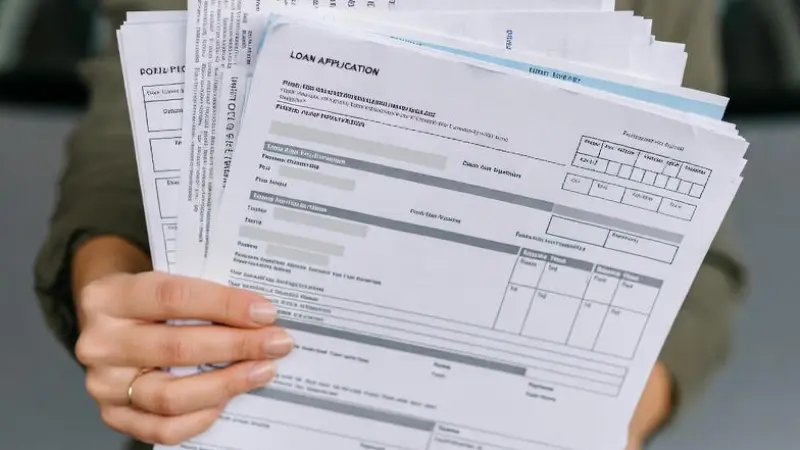
Why Lenders Love Paystubs: Your Ticket to Trust
You've decided it's time for that loan. Whether it's for a car that turns heads or personal funds to tackle unexpected expenses, lenders want assurance you'll pay them back. Enter the paystub—it's not just a piece of paper; it's proof of your steady income. Lenders scrutinize it to verify your employment, salary, and deductions, ensuring you're not overextending yourself.
Think about it from their side: Without a paystub, approving your loan feels like a gamble. But with one in hand, you're showing them the numbers—your gross pay, taxes withheld, and net income. This transparency can shave days or even weeks off the approval time. And if you're self-employed or gig-working? A well-crafted paystub becomes even more crucial, bridging the gap between irregular earnings and lender expectations.
Your Loan Approval Adventure Begins
You wake up one morning, coffee in hand, scrolling through loan options online. Your credit score is decent, but you know income verification is the next hurdle. You remember that time you applied for a credit card without proper docs—it dragged on forever. Not this time. You decide to get proactive.
First, you gather your recent paystubs. But wait—what if you've lost them? Don't panic. You've got options. Reach out to your employer's HR department; they can reissue copies quickly. If you're freelance, dig into your bank statements or tax returns as backups. And if all else fails, tools like a paystub generator can help recreate accurate representations based on your records.
As you compile your documents, you feel empowered. You submit your application, paystub attached, and within days, you get the green light. That car? It's yours. Or that personal loan? It's funding your home renovation dreams. This isn't just paperwork; it's your story of financial savvy paying off.
Lost Your Paystubs? Here's What You Do Next
Okay, let's address the elephant in the room: You've lost your paystubs. It happens to the best of us—maybe a move, a digital glitch, or just plain forgetfulness. But losing them doesn't mean your loan dreams are dashed. Start by contacting your employer. Most companies keep records for years and can provide duplicates via email or portal access.
If that's not feasible, check your email archives or payroll apps like ADP or Paychex—they often store digital versions. For the self-employed, reconstruct from invoices, 1099 forms, or accounting software. And if you need something polished fast, consider using a reliable paystub generator with bonus features to create one that mirrors your earnings accurately.
Remember, honesty is key. Falsifying info can lead to denial or worse. Use these methods to rebuild legitimately, and you'll be back on track in no time.
Creating a Free Paystub in Microsoft Word: A Step-by-Step Guide
You don't always need fancy software to whip up a paystub. Microsoft Word, that trusty program on most computers, can do the trick for free. It's simple, customizable, and gets the job done when you're in a pinch. Let's walk through it together.
- Open a New Document: Fire up Word and start a blank page. Set your margins to 1 inch all around for a professional look.
- Add Header Information: At the top, type your company's name, address, and contact info. Use bold for emphasis: Company Name, Street Address, City, State, ZIP.
- Employee Details: Below that, add your name, address, employee ID (if any), and pay period. For example: Pay Period: 01/01/2025 - 01/15/2025.
- Income Section: Create a table for clarity. Insert a table with 2 columns: Description and Amount. List Gross Pay, Hours Worked (e.g., 80 hours at $20/hour).
- Deductions: In the same table, add rows for Federal Tax, State Tax, Social Security, Medicare, and any others like health insurance.
- Net Pay: At the bottom, calculate and bold the Net Pay.
- Save and Print: Save as a PDF for a clean look, and you're set.
This method is free and straightforward, but for more templates, check out a sample paystub online to mimic the layout.
Explaining Paystub Calculations: Breaking It Down
Numbers can be intimidating, but understanding paystub calculations empowers you. Let's say you're earning $50,000 annually as a salaried employee. Your bi-weekly gross pay? Divide by 26 pay periods: $50,000 / 26 = about $1,923.08.
Now, deductions: Federal income tax might be 12% for your bracket—$1,923.08 x 0.12 = $230.77. Social Security is 6.2%: $1,923.08 x 0.062 = $119.23. Medicare: 1.45% or $27.88. State tax varies, say 5%: $96.15. If you have $50 in health insurance, subtract that too.
Total deductions: $230.77 + $119.23 + $27.88 + $96.15 + $50 = $524.03. Net pay: $1,923.08 - $524.03 = $1,399.05.
For hourly workers, it's hours x rate. 40 hours at $25/hour = $1,000 gross. Overtime? 1.5x for hours over 40. Use these formulas to ensure your paystub reflects reality, making lenders nod in approval.
Choosing the Right Paystub Generator: Speed and Accuracy
Sometimes, DIY isn't enough—you need something professional. That's where online generators shine. They automate calculations, ensure compliance, and save time. Look for ones with customizable templates, secure data handling, and bonus features like detailed breakdowns.
A great option is the paystub generator with calculator, which lets you input your details and spits out a ready-to-use document. For extras like year-to-date totals or multiple deduction fields, try the paystub generator with bonus. These tools are lifesavers for freelancers or those with complex pay structures.
Tips for Making Your Paystub Loan-Ready
- Consistency is Key: Ensure your paystub matches bank statements and tax docs.
- Update Regularly: Use recent stubs—lenders prefer the last 2-3 months.
- Include All Details: Don't skip YTD earnings; they show long-term stability.
- Verify Calculations: Double-check math to avoid red flags.
- Go Digital: Many lenders accept PDFs, so generators are perfect.
By following these, you're not just submitting a document; you're building a case for why you're a reliable borrower.
Common Pitfalls and How to Avoid Them
You've got your paystub ready, but watch out for traps. One biggie: Inaccurate info. If your stub says $60k but taxes show $50k, alarms go off. Solution? Cross-verify everything.
Another: Overlooking stubs for all income sources. Side hustle? Include it. Lost stubs again? We've covered that—reissue or generate anew.
Finally, privacy: Only share with trusted lenders. Use secure uploads to protect your data.
The Bigger Picture: Building Financial Confidence
Beyond loans, mastering paystubs boosts your overall financial literacy. You start noticing deduction patterns, planning taxes better, and even negotiating raises with solid evidence.
In your story, that loan approval isn't the end—it's a chapter in your journey to financial freedom. Whether cruising in your new auto or stress-free with personal funds, it all starts with that humble paystub.
Final Thoughts: Take Action Today
You've read this far, so you're serious about securing that loan. Grab your paystubs, or create one using our guide. Check out samples and generators linked here to get started. Remember, a little preparation goes a long way in fast-tracking your approval.