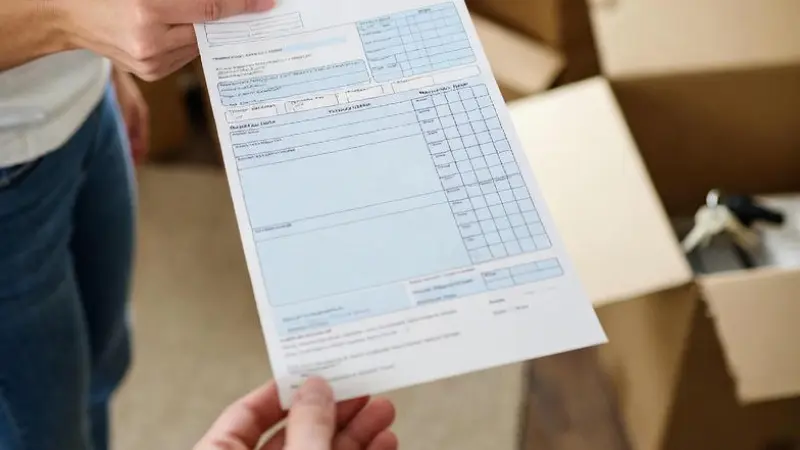
Why Your Paystub Matters in the Rental Game
Picture this: You're applying for a lease, and the landlord pulls out a magnifying glass—not literally, but they're scrutinizing every line on your paystub. Why? Because it's their window into your financial stability. A paystub isn't just a piece of paper; it's proof that you can afford the rent month after month. Landlords want to see consistent income, typically 2.5 to 3 times the rent amount, to ensure you're not stretching your budget too thin.
In many cities, like New York or San Francisco, where competition is fierce, a flawless paystub can be your golden ticket. It shows employment details, gross and net pay, deductions, and more. Mess it up, and you might end up back on the couch-surfing circuit. But get it right, and you're unpacking boxes in no time.
The Key Elements Landlords Scrutinize on Your Paystub
You hand over your document, and the landlord's eyes dart to specific sections. First up: Employee Information. This includes your full name, address, and Social Security Number (partially redacted for privacy). It must match your application to avoid red flags.
Next, Employer Details: Company name, address, and contact info. Landlords often verify employment, so inaccuracies here could torpedo your chances. Then comes the Pay Period and Date—they prefer recent stubs, within the last 30 days, to confirm current employment.
- Gross Pay: Your total earnings before deductions. Landlords calculate if this meets their income threshold.
- Deductions: Taxes, insurance, retirement contributions—these show you're a responsible earner.
- Net Pay: What's left in your pocket. This is what really pays the rent.
- YTD Totals: Year-to-Date figures give a broader picture of your annual income stability.
Don't forget bonuses or overtime; if they're inconsistent, landlords might discount them. And if you're self-employed? You'll need tax returns or 1099 forms instead, but that's a story for another day.
Common Paystub Pitfalls and How to Avoid Them
Imagine submitting a paystub only to have it rejected because the numbers don't add up. You've seen it happen to friends—typos in calculations or mismatched dates. Always double-check for consistency. If your stub shows varying hours, explain it upfront; perhaps you're in a seasonal job.
Another trap: Fake paystubs. You might think it's a quick fix, but landlords are savvy. They cross-check with employers or use verification services. Getting caught? That's fraud, leading to blacklisting or legal woes. Stick to authenticity—it's your safest bet.
For tips on spotting issues, check out our paystub sample to see what a professional one looks like.
Story Time: Your Journey to Creating a Free Paystub in MS Word
You sit down at your computer, Microsoft Word open, ready to craft a paystub from scratch. Why? Maybe you're freelancing and need something official-looking for that lease application. It's free, customizable, and straightforward. Let's walk through it together.
- Open a new document in MS Word. Go to "Insert" > "Table" and create a 2-column, 10-row table for structure.
- Label the top: "Paystub" in bold, centered. Add your name, address, and SSN (redacted) on the left; employer details on the right.
- Insert pay period: e.g., "Pay Period: 01/01/2025 - 01/15/2025" and "Pay Date: 01/20/2025".
- Add sections for Earnings, Deductions, and Totals. Use rows for Hours Worked, Rate, Gross Pay, etc.
- Format with borders, bold headers, and align numbers right for professionalism.
Now, let's plug in an example with random numbers and names. Say you're Alex Johnson, working at Tech Innovations Inc. Your hourly rate is $25, and you worked 80 hours in the pay period.
Example Calculations Explained
Gross Pay: Hours × Rate = 80 × 25 = $2,000.
Deductions:
- Federal Tax: 10% of gross = 0.10 × 2000 = $200.
- State Tax: 5% = 0.05 × 2000 = $100.
- Social Security: 6.2% = 0.062 × 2000 = $124.
- Medicare: 1.45% = 0.0145 × 2000 = $29.
- Health Insurance: Flat $50.
Total Deductions: 200 + 100 + 124 + 29 + 50 = $503.
Net Pay: Gross - Deductions = 2000 - 503 = $1,497.
YTD Gross: Assuming this is the first paystub, same as gross; otherwise, add previous.
Save as PDF for submission. Remember, this is for personal use—landlords might still verify with your employer.
Level Up with Professional Paystub Generators
You've tried the DIY route, but for precision and ease, consider a dedicated tool. Our paystub generator creates accurate, customizable stubs in minutes. Input your details, and it handles calculations automatically—no math headaches.
Why go pro? It includes all necessary fields, looks official, and complies with standards. Plus, it's secure and quick, perfect when you're racing against application deadlines.
Tips for Presenting Your Paystub to Landlords
You've got your paystub ready—now how do you present it? Always provide multiple stubs, say the last three, to show consistency. Black out sensitive info like full SSN. Attach a cover letter explaining any anomalies, like a recent raise.
Be proactive: Offer to connect the landlord with your HR if needed. Transparency builds trust, turning that "maybe" into a "yes."
What If Your Income Isn't Traditional?
You're a gig worker, juggling Uber drives and freelance gigs. Standard paystubs? Not your thing. Instead, compile bank statements, invoices, or app earnings reports. Landlords understand modern work—show steady deposits, and you're good.
For retirees or students, use pension statements or guarantor paystubs. Flexibility is key in today's economy.
The Legal Side: Know Your Rights as a Renter
As you navigate this, remember laws protect you. In the US, Fair Housing Act prevents discrimination, but income verification is fair game. If a landlord demands unreasonable proof, question it politely.
States vary: California requires just cause for denials, while others are more lenient. Research local rules to empower your search.
Final Thoughts: Securing Your Dream Lease
You've journeyed through paystub basics, pitfalls, creation, and presentation. Armed with this knowledge, you're ready to impress any landlord. Whether DIY in Word or using a generator, accuracy is your ally.
Head over to our blog section for more rental tips. Happy house hunting—you've got this!