s:10212:"
The Thrill of the Hunt: Starting Your Apartment Search
You lace up your shoes and hit the streets—or more likely, your laptop—for the apartment search. Excitement builds as you scroll through listings on sites like Zillow or Craigslist, envisioning yourself lounging in that cozy living room. But hold on: before you fall in love, remember that securing the place hinges on proving you're a reliable tenant. That's where your paystub steps into the spotlight.
Landlords aren't just renting space; they're investing in peace of mind. They want assurance you'll pay on time, every time. A paystub provides that by verifying your income stability. Typically, they expect your gross monthly income to be at least 2.5 to 3 times the rent. For a $1,200 apartment, that means showing at least $3,000 to $3,600 in earnings. Without it, your application might get shuffled to the bottom of the pile, leading to those dreaded rejection emails.
- Budget Wisely: Calculate your rent affordability early to avoid heartbreak.
- Research Neighborhoods: Use Google Maps or local forums to check safety and amenities.
- Set Alerts: Get notifications for new listings to stay ahead in competitive markets.
As you tour potential homes, imagine the hiccup if you're asked for proof of income on the spot. No paystub? Your dream spot slips away to the next applicant. But fear not—we'll arm you with knowledge to keep things smooth.
Why Your Paystub Holds the Power: The Landlord's Perspective
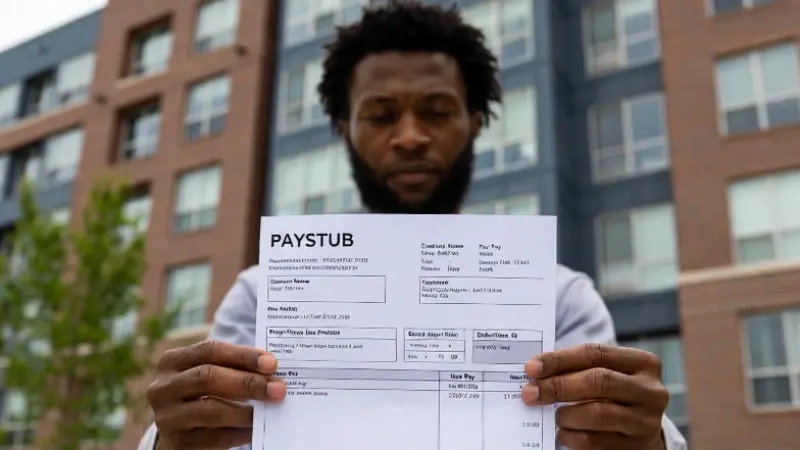
Picture this: You're at the leasing office, application in hand. The manager scans your documents, zeroing in on your paystub. Why? Because it tells a story of your financial reliability. It shows not just what you earn, but how consistently. Gross pay, deductions for taxes and benefits, net take-home—it's all there, painting a picture of your ability to cover rent without strain.
In bustling cities like New York or Los Angeles, where demand outstrips supply, landlords are picky. A solid paystub sets you apart, proving you're not a flight risk. It also helps them comply with fair housing laws by focusing on objective criteria like income ratios. Skip this, and you risk delays or denials, turning your move into a nightmare of endless searches.
- Verify your name and address match your ID—no mismatches allowed.
- Check the pay period: Recent stubs (last 1-3 months) are preferred.
- Highlight year-to-date earnings to show long-term stability.
Pro Tip: If you're self-employed or gig-working, traditional paystubs might not exist. That's okay—alternatives like bank statements or tax returns can fill in, but a generated paystub often seals the deal faster. See our sample paystub for inspiration.
Common Rent Hiccups and How Your Paystub Prevents Them
You submit your application, heart pounding, only to hear back: "Insufficient income proof." Ouch—that's a classic hiccup. Or worse, inconsistencies in your documents raise red flags, leading to extra scrutiny. Paystubs prevent these by offering clear, verifiable data. But what if yours is lost or outdated? Don't panic; we'll cover solutions soon.
Another snag: Credit checks. A low score might not doom you if your paystub screams stability. Landlords often weigh income heavily, so a strong one can tip the scales. Then there's the background check—clean records help, but again, solid finances reassure them you're low-risk.
| Hiccup | How Paystub Helps |
|---|---|
| Incomplete Application | Provides instant income verification |
| Income Doubts | Shows exact earnings and deductions |
| Self-Employment Woes | Generated stubs act as professional proof |
Remember: Always be honest. Fabricating details could lead to legal troubles down the line. Your paystub is your ally in building trust from the get-go.
DIY Magic: Creating a Free Paystub in MS Word
You're between jobs or freelancing, and no official paystub in sight. No worries—you can create one for free using Microsoft Word. This isn't just a template; it's a lifeline for your application. Let's walk you through it step by step, with examples using random names and numbers to illustrate calculations.
First, open MS Word and start a new document. Use tables for a professional look—insert a table with 2 columns and multiple rows for sections like employee info, earnings, and deductions.
- Set Up Header: At the top, type your company name, address, and "Paystub" in bold. Add dates for the pay period, say from October 1 to October 15, 2025.
- Employee Details: Include name (e.g., Jane Smith), address, SSN (partial for privacy), and employee ID.
- Earnings Section: Use a table row for hours and rates. Example: Jane works at Creative Designs Inc. as a graphic designer. Random numbers: 80 regular hours at $28 per hour. Calculation: 80 * 28 = $2,240 gross regular pay. Add 10 overtime hours at $42 (1.5 times regular rate): 10 * 42 = $420. Total gross: $2,240 + $420 = $2,660.
- Deductions: Federal tax at 12%: 0.12 * $2,660 ≈ $319.20. State tax at 5%: 0.05 * $2,660 = $133. Health insurance: $75 flat. Retirement: 3% = 0.03 * $2,660 ≈ $79.80. Total deductions: $319.20 + $133 + $75 + $79.80 = $607.
- Net Pay: Gross minus deductions: $2,660 - $607 = $2,053.
- Year-to-Date (YTD): Assume this is the 10th pay period. YTD gross: 10 * $2,660 = $26,600 (simplified). YTD deductions: 10 * $607 = $6,070. YTD net: $20,530.
- Finalize: Add employer signature line, save as PDF for authenticity.
Now, let's try another example with different randoms: Mike Johnson, software engineer at TechWave LLC. Bi-weekly period: November 16-30, 2025. 80 hours at $35/hour: 80 * 35 = $2,800 gross. Bonus: $200. Total gross: $3,000. Deductions: Federal 15% ($450), State 6% ($180), Social Security 6.2% ($186), Medicare 1.45% ($43.50), Insurance $100. Total deductions: $450 + $180 + $186 + $43.50 + $100 = $959.50. Net: $3,000 - $959.50 = $2,040.50. YTD (assume 12 periods): Gross $36,000, Net $24,486.
This method is free and quick, but watch for errors in calculations—use Word's formula tools if needed. For precision, consider our paystub generator, which automates taxes and formats professionally.
Leveling Up: Using Online Tools for Flawless Paystubs
You've nailed the DIY, but what if you want pro-level polish? Enter online paystub generators. Input your details, and voila—accurate stubs with logos, compliant formats, and instant downloads. No math mishaps, just reliability that impresses landlords.
Why choose this? It handles complex scenarios like variable income or multiple jobs. Plus, it's secure and fast, turning potential hiccups into smooth sails. Check out a sample to see the difference.
Tips to Seal the Deal: Beyond the Paystub
With paystub in hand, you're ahead, but don't stop there. Prepare references from past landlords, a cover letter explaining your situation, and be ready for fees ($50-100 typically). Negotiate if possible—slow markets give leverage.
- Explain Anomalies: If pay varies, note why in a note.
- Go Digital: Email PDFs for quick submissions.
- Know Your Rights: Fair Housing Act protects against bias—focus on facts.
For gig workers, combine stubs with invoices. New job? Use offer letters plus first stub. These steps minimize delays, keeping your move on track.
Wrapping Up Your Journey: From Application to Keys in Hand
You've navigated the twists—paystub prepped, application submitted, approval granted. As you turn the key to your new home, reflect on how that simple document avoided chaos. Whether DIY in Word or generated online, it's your key player. Ready to start? Explore our tools and make your story a happy ending.
";